
Most people have experienced the same frustrating moment.
You are working with several important browser tabs open. Some contain research. Others include documents, client pages, videos, tools, or articles you planned to read later. Then your browser crashes, your laptop restarts, or you accidentally close the wrong window.
In seconds, hours of work can disappear.
Even when Chrome restores some recently closed tabs, it may not bring back everything exactly as you organized it. You may spend the next 20 minutes searching your browsing history, reopening websites, and trying to remember which tabs were important.
This is not just a minor inconvenience. Losing browser tabs can interrupt your focus, slow down your work, and create unnecessary stress.
The good news is that Chrome extensions can help you save, organize, and restore your browser sessions before anything gets lost.
Why Losing Browser Tabs Is a Bigger Problem Than It Seems
Modern work often happens inside a browser.
Students use tabs for assignments, research papers, online classes, and study materials. Professionals use them for emails, documents, dashboards, customer accounts, and project management tools. Writers, developers, marketers, and researchers may keep dozens of tabs open at the same time.
Each tab represents a small piece of active work.
When those tabs disappear, you do not only lose web pages. You may also lose your workflow, your train of thought, and the structure you created for a project.
Common causes of lost browser tabs include:
- Browser crashes
- Accidental window closures
- Computer restarts
- Chrome updates
- Power failures
- Switching between devices
- Clearing browsing data
- Closing tabs to reduce clutter
Chrome does offer basic recovery options, such as reopening recently closed tabs. However, those options may not be enough for people who manage several projects or browser windows at once.
That is where session manager and tab saving extensions become useful.
What Is a Browser Session Manager?
A browser session is a collection of tabs and windows that you currently have open.
A session manager allows you to save that collection and reopen it later. Instead of keeping 30 tabs open all day, you can save them as a named session, close the window, and restore everything when you are ready to continue.
For example, you could create separate sessions for:
- Work projects
- School research
- Shopping
- Travel planning
- Client accounts
- Content ideas
- Personal reading
- Weekly reports
This makes it easier to separate tasks and reduce browser clutter without losing important pages.
A good session manager can turn your browser from a crowded collection of tabs into a more organized workspace.
Super Session Manager: A Practical Way to Save and Restore Tabs
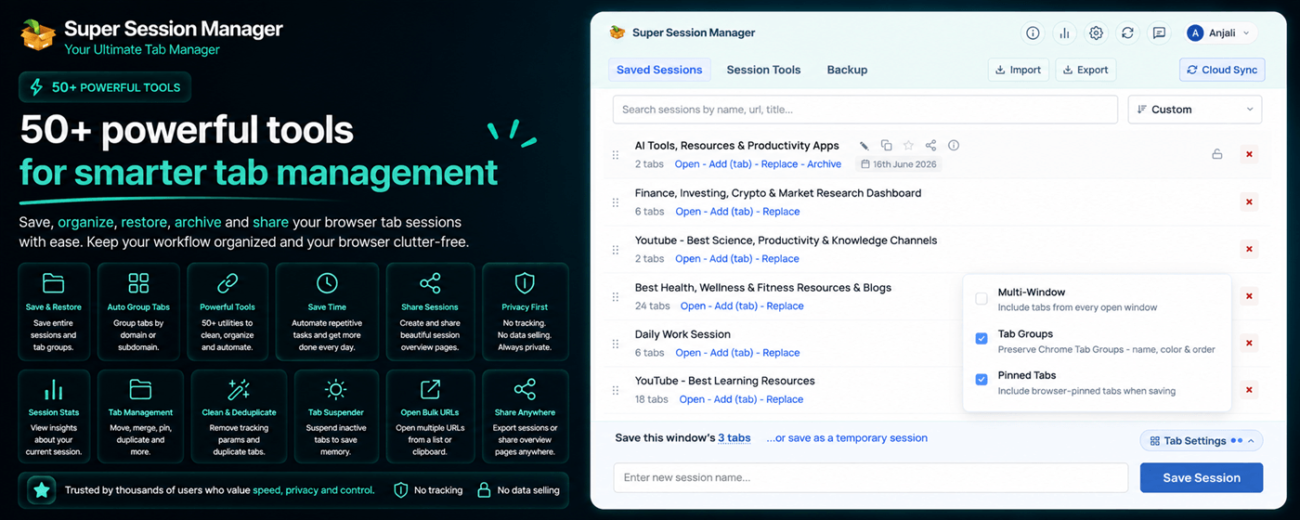
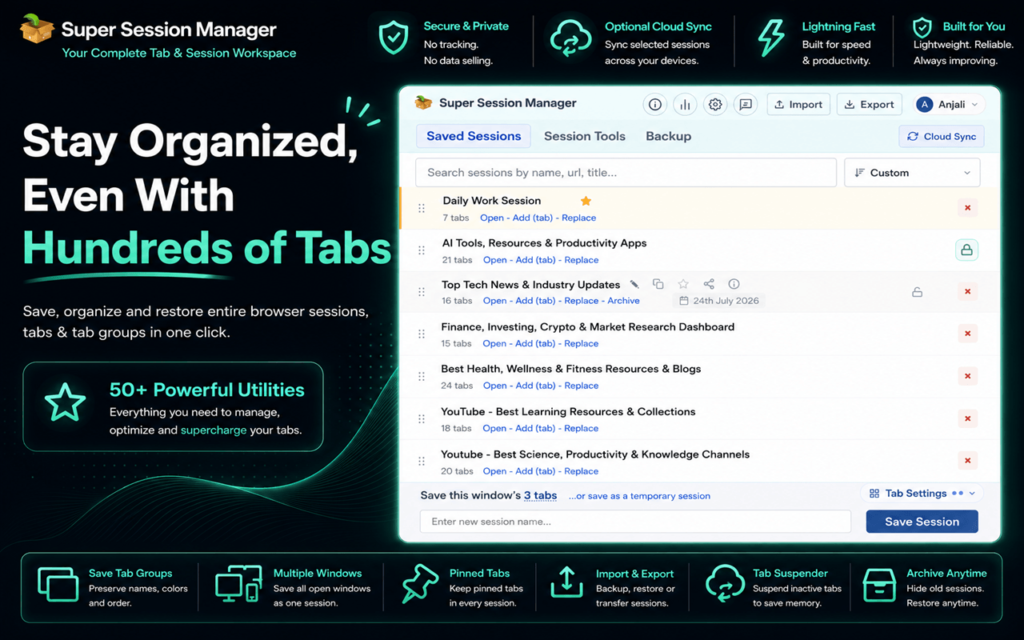
Super Session Manager is designed to help users save browser sessions and restore tabs when they need them.
Its main benefit is simple: you do not have to depend only on Chrome’s recent history or hope that your browser automatically restores everything after a crash.
You can save a group of open tabs as a session and return to it later.
This can be especially useful when you are working on multiple projects. Instead of mixing every task inside one browser window, you can save each project separately.
For example, a digital marketer may have one session for campaign research, another for analytics dashboards, and another for client reporting. A student may save separate sessions for different subjects. A freelancer may organize tabs by client.
When it is time to switch tasks, the current session can be saved and another one can be restored.
This approach can reduce tab overload and help users return to their work more quickly.
How Session Managers Improve Daily Workflow
Saving tabs is useful, but the larger benefit is better workflow management.
You Can Recover Important Tabs
The biggest advantage is protection against accidental tab loss.
Instead of trying to remember every page you had open, you can restore a saved session and continue working.
This can save time after a browser crash, restart, or accidental closure.
You Can Separate Different Projects
Keeping unrelated tabs in the same window can become confusing.
A session manager allows you to group tabs based on a task or project. This makes it easier to focus on one activity at a time.
You could keep work tabs separate from personal browsing or divide client projects into individual sessions.
You Can Reduce Browser Clutter
Too many tabs can make it difficult to find what you need.
Saving a session allows you to close tabs without permanently losing them. Your browser becomes cleaner, while your important pages remain available for later.
You Can Switch Tasks More Easily
Many people move between several responsibilities during the day.
Instead of manually reopening the same websites each time, you can restore a saved session connected to that task.
This is useful for people who work across multiple accounts, projects, or research topics.
You Can Create Repeatable Workspaces
Some workflows use the same websites every day.
A saved session can act like a ready made workspace. You open the session, and the websites you need are already available.
This may include email, project tools, reporting dashboards, content platforms, or research sources.
Other Types of Chrome Extensions That Can Help
Session managers are one part of a better browser workflow. Other Chrome extensions can also help users control tab overload.
Tab Grouping Extensions
These tools organize open tabs into groups. They can be useful when you want to keep tabs open but arrange them by project or topic.
Tab Suspension Extensions
Tab suspension tools pause inactive tabs to reduce memory usage. They may help users who keep many tabs open and notice their browser becoming slow.
Read Later Extensions
These extensions save articles, videos, and web pages for future reading. They are useful for content that does not need to stay open in an active browser tab.
Bookmark Management Extensions
Advanced bookmark tools can help organize saved links into folders, categories, or searchable collections.
Productivity Extensions
Some productivity tools block distractions, track browsing time, or help users focus on one task. They can work well alongside a session manager.
How to Build a Better Tab Management Routine
Installing an extension is helpful, but using it consistently matters even more.
Start by creating clear session names. Instead of saving a session as Tabs 1, use a name that explains what it contains, such as Client Report, History Research, or Travel Planning.
Save important sessions before closing a large browser window. This creates a simple backup and reduces the risk of losing your work.
Review old sessions regularly. Delete sessions you no longer need and keep active projects easy to find.
Avoid saving every tab without a purpose. A session manager works best when sessions are organized around clear tasks.
It can also help to combine session management with bookmarks. Use sessions for active projects and bookmarks for long-term reference material.
Choosing the Right Chrome Extension
Before installing a browser extension, consider what problem you are trying to solve.
Some users mainly need crash recovery. Others want project organization, tab grouping, reduced memory use, or a better way to switch between tasks.
Look for an extension that is easy to use and fits your normal browsing habits.
You should also review the permissions requested by any extension. tab manager may need access to tabs or browsing activity to perform their functions, so it is important to understand what access is required before installing one.
Choose tools from reliable sources and review their privacy information carefully.
Stop Treating Tabs Like Temporary Clutter
Browser tabs have become part of how people work, study, research, and plan.
The problem is that many users still treat open tabs as temporary items that will always be there. In reality, a crash, restart, or accidental click can remove an entire workspace.
A session manager such as Super Session Manager can help users save open tabs, organize projects, and restore browser sessions when needed.
Instead of leaving dozens of tabs open and hoping nothing goes wrong, users can create a more structured system.
The result is a cleaner browser, fewer lost pages, and a faster way to return to important work.
Losing tabs may feel unavoidable, but with the right Chrome extensions and a better tab management routine, it does not have to be.
