
![Top 5 Free Mac Data Recovery Software [Latest 2026]](https://contentideators.com/wp-content/uploads/2026/04/Untitled-design-2026-04-28T215542.499.jpg)
Data loss on a Mac can be devastating, especially if it contains something valuable. Whether your data is lost due to accidental deletion, formatting, system error, or any other reason, there are several free Mac data recovery methods available to restore them. Fortunately, modern data recovery tools have become more powerful and user-friendly options to restore your lost data, even without any backup.
In this article, we’ll explore the top 5 free Mac data recovery software tools available in 2026, highlighting their features, limitations, and ideal use cases.
Key Features of Free Mac Data Recovery Software
Before you select any recovery tool to recover your lost files on Mac, always check its features. Here are some key features of free Mac data recovery software that you can check:
- File Type Support: Ensure your data recovery tool supports recovery of deleted photos, videos, documents, and other files of different formats.
- Different Storage Device Compatibility: Many modern-day recovery tools are compatible with different internal and external storage devices, such as SD cards, USB drives, cameras, and more.
- Support for Multiple File Systems: Good recovery tools support major file systems like NTFS, APFS, HFS+, FAT / exFAT, etc.
- Different Scanning Modes: Most free Mac data recovery tools offer both Quick Scan (for recovery of recently deleted files) and Deep Scan (for a thorough search for older or hidden data) modes.
- Preview Functionality: Your data recovery software must allow you to preview the recoverable files before restoring them.
- User-Friendly Interface: Most tools are designed for ease of use, i.e., they offer an intuitive interface with a quick recovery process.
Our Best 05 Free Mac Data Recovery Software
Among several recovery tools available in today’s digital world, choosing the right one can be complex. Here we’ve outlined our best 05 free data recovery software that you can try to restore your lost files on Mac:
01: Stellar Data Recovery Free for Mac
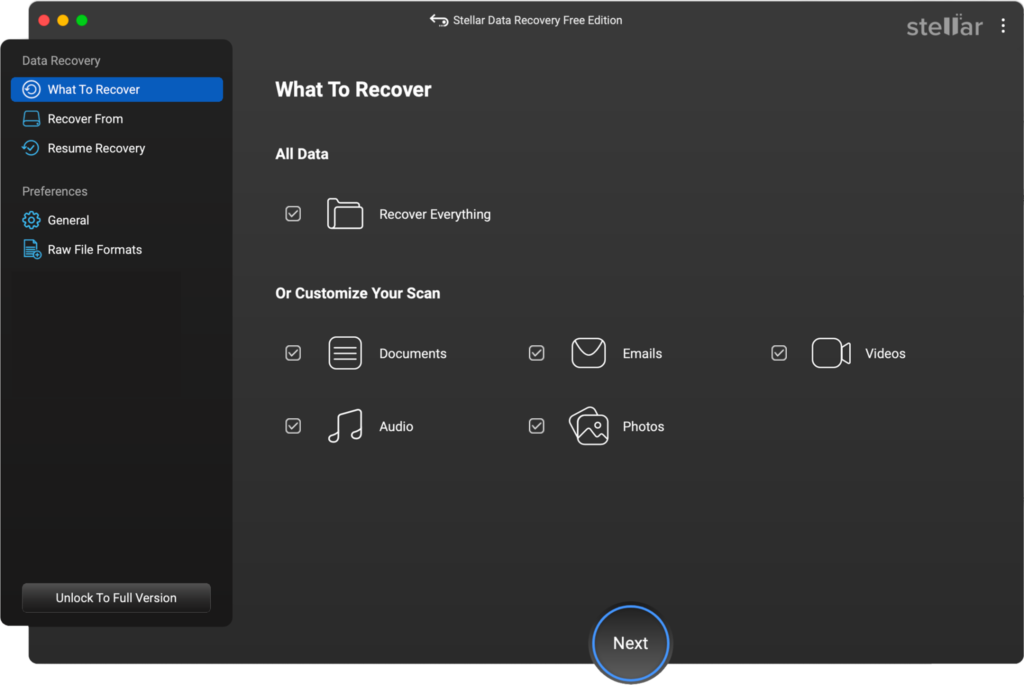
Stellar Data Recovery Free for Mac is one of the most widely used free mac data recovery software, mainly known for its clean interface and powerful scanning engine. The software is known for its compatibility with different storage devices, including your SD cards, hard drives, USB drives, and many other internal/external storage media. You can use this software to recover deleted files of various types, such as photos, videos, documents, emails, and more.
The free version of Stellar Data Recovery supports the recovery of up to 1 GB of files. However, larger recoveries require upgrading to a paid version. It also lets you preview the recoverable files before saving them on your device.
Pros:
- Easy-to-use interface simplifies quick recovery for beginners, even without technical knowledge.
- Allows you to preview recoverable files before restoring, which helps in verifying file quality and selectively recovering only important data.
- Deep scan feature supports data recovery from formatted, corrupted, or inaccessible drives.
- Compatible with the latest macOS versions and Apple silicon chips, ensuring smooth performance across modern Mac devices and systems.
Cons:
- Free version limits recovery of only 1GB of data, which may not be sufficient if large-scale file restoration is required.
- Deep scan process can be time-consuming, especially when scanning large drives or severely corrupt storage devices.
- May not always preserve original file names or folder structures, making it harder to organise recovered data properly afterwards.
Best Use Case
Ideal for recovering recently deleted files such as documents, photos, or videos from Mac systems without any previously created backups.
02: EaseUS Data Recovery Wizard Free (Mac)
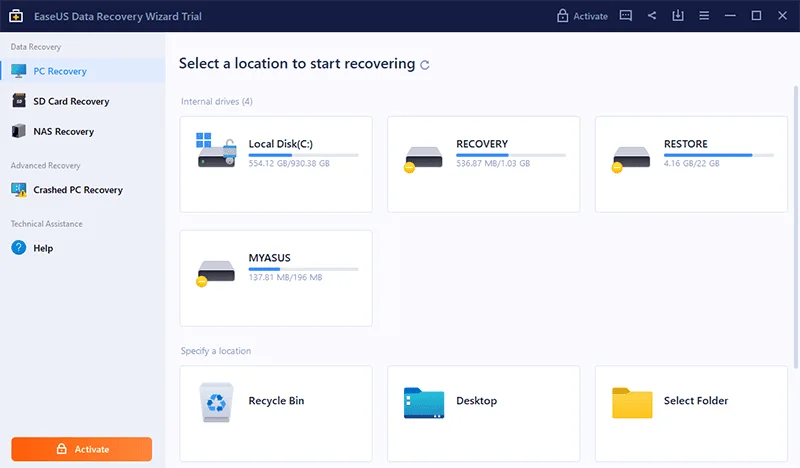
EaseUS Data Recovery is a widely used data recovery solution that you can use to recover lost, deleted, or formatted files from macOS devices and external storage. It supports data recovery from a wide range of storage devices, including internal SSDs, HDDs, USB drives, memory cards, etc. This free Mac data recovery software is mainly known for dual scanning modes, i.e., Quick scan and Deep scan. You can filter and preview files before recovery, which helps with precise and efficient restoration.
Pros:
- Supports recovery of deleted documents, videos, images, emails, and many other types of files.
- Offers quick scan and deep scan modes, enabling recovery of both recently deleted files and data from formatted or corrupted drives.
- Supports major file systems like APFS, HFS+, FAT, and NTFS, ensuring compatibility across macOS and external storage device formats.
Cons:
- The deep scan feature can be time-consuming, especially while scanning large drives or heavily corrupted storage devices.
- Recovery success may vary depending on the file corruption level or overwritten data, especially in severely damaged or partially overwritten storage sectors.
Best Use Case
It can recover data lost due to several scenarios, including accidental deletion, formatting, system crashes, or virus attacks, with reliable recovery performance.
03: iBoysoft Data Recovery for Mac
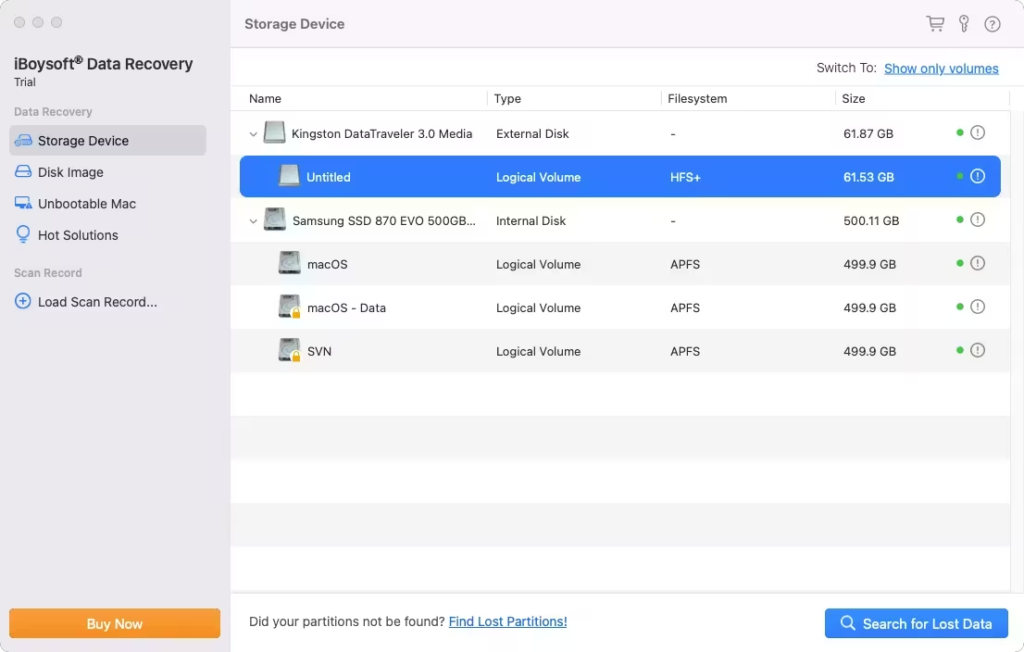
iBoysoft Data Recovery is a powerful and professional Mac data recovery software that can help you restore deleted data of various types. You can use this software to recover files from various storage media, including internal SSDs, HDDs, USB drives, SD cards, and even disk images. This free Mac data recovery software is compatible with major file systems such as APFS, HFS+, FAT32, and exFAT, allowing recovery from Mac, Windows, and cross-platform drives. It is mainly known for the Unbootable Mac recovery feature, which enables you to recover data even when the Mac cannot start.
Pros:
- Known for advanced recovery features like Unbootable Mac and Disk Image recovery, which support data recovery from crashed or inaccessible systems.
- High recovery success rate ensures effective retrieval of lost or deleted files from various storage devices and file systems.
- Easy-to-use interface with simple steps makes it ideal for beginners.
Cons:
- Paid version pricing is relatively high compared to competitors, making it less appealing for casual users.
- The free version offers limited file recovery, which may not be sufficient for users needing to recover large volumes of data.
Best Use Case
Supports recovery of accidentally deleted or lost files (documents, photos, videos) on modern macOS systems—especially APFS-based Macs or Apple Silicon devices—with minimal technical effort.
04: PhotoRec
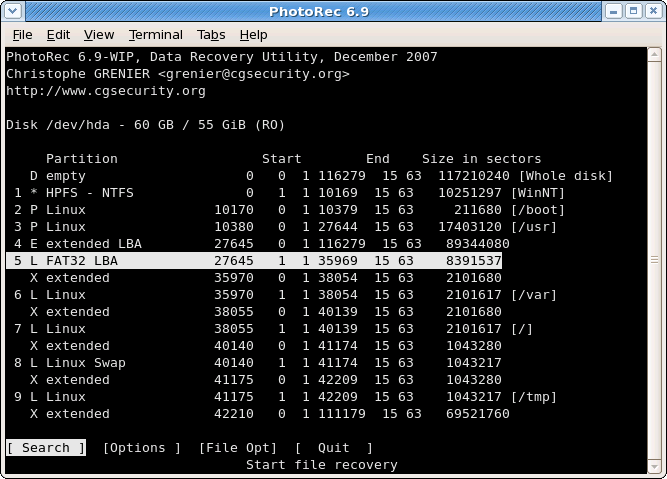
PhotoRec is the best completely free Mac data recovery software that works exceptionally well across platforms and different storage devices. It works across multiple platforms, including macOS, Windows, and Linux, making it a versatile choice for different users. You can use this software to recover files even from severely corrupted or formatted drives where traditional recovery tools may fail. However, the command-line interface of this tool makes the recovery quite challenging for beginners unfamiliar with Terminal-based tools.
Pros:
- Completely free and open-source tool allows unlimited data recovery without restrictions, making it ideal for users seeking cost-free recovery solutions.
- Powerful deep scanning algorithm recovers files from severely corrupted, formatted, or damaged drives where many other tools fail completely.
- Compatible with various storage devices like hard drives, USB drives, and memory cards, offering flexibility in different recovery scenarios and environments.
Cons:
- The command-line interface makes it difficult for beginners who are unfamiliar with Terminal commands.
- Lacks a file preview feature, which makes it hard to identify specific files before recovery.
Best Use Case
Effective for recovering files from older or unsupported file systems where modern graphical tools may not provide adequate recovery support or compatibility.
05: Disk Drill for Mac
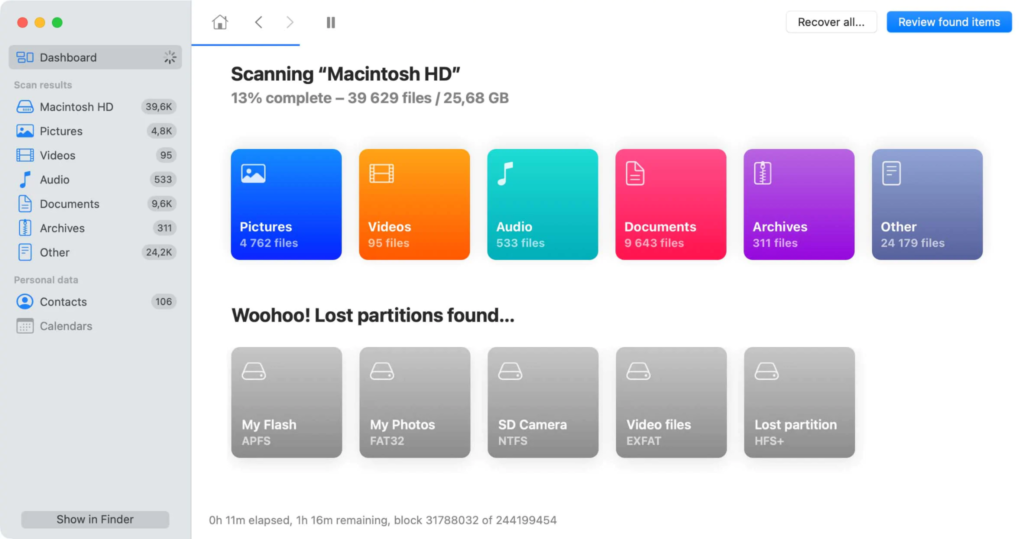
Disk Drill, developed by CleverFiles, is one of the most advanced and widely used data recovery tools for macOS in 2026. This free Mac data recovery software is designed to recover lost or deleted data from a wide range of storage devices, including internal SSDs, external hard drives, USB drives, SD cards, and even smartphones. It offers both quick and deep scanning modes, allowing you to recover data from simple deletion scenarios as well as complex cases like formatted or corrupted drives. However, the free version has limited recovery capacity, but you can upgrade to the paid version to enjoy more features.
Pros:
- User-friendly interface allows beginners to easily recover lost files without technical knowledge or complex steps.
- Advanced scanning options, including deep scan, can help you recover files from formatted, corrupted, or inaccessible storage devices.
- Allows preview of recoverable files before restoration, helping you restore only the required files and avoid unnecessary ones.
Cons:
- Some advanced recovery features are only available in the premium version.
- Deep scanning large drives can take significant time, especially when recovering data from heavily corrupted storage devices.
Best Use Case
Best for recovering accidentally deleted files from Mac systems quickly using simple interfaces and guided steps without requiring advanced technical knowledge.
Wrapping Up
Recovering lost data on your Mac can be challenging, but thanks to the aforementioned top 5 free Mac data recovery software tools, which make the process much easier. These tools offer several amazing features which can help you recover your deleted files in a few simple clicks. You need to carefully check and compare the features of these tools and then choose the one that best fits your needs. Each tool has its strengths, and the best choice depends on your technical expertise and recovery requirements.
Comparison Table of Top Free Mac Data Recovery Software (2026)
| Software | Free Recovery Limit | Supported File Systems | Scan Types | Preview Option | Ease of Use | Best For |
| Stellar Data Recovery | 1 GB | APFS, HFS+ | Quick & Deep | Yes | Very Easy | Beginners |
| EaseUS Data Recovery Wizard | Limited | APFS, HFS+, FAT, NTFS | Quick & Deep | Yes | Easy | All Users |
| iBoysoft Data Recovery | Limited | APFS, HFS+, FAT32, exFAT | Quick & Deep | Yes | Moderate | Advanced Cases |
| PhotoRec | Unlimited | Multiple | Deep Only | No | Difficult | Tech Users |
| Disk Drill | Limited | Multiple | Quick & Deep | Yes | Easy | Balanced Use |
FAQs
Q: Can data recovery software recover files after macOS update failure?
A: Yes, most advanced tools can recover data lost due to failed macOS updates, especially using deep scan modes.
Q: Is it possible to recover data from an unbootable Mac?
A: Yes, tools like iBoysoft and Stellar provide bootable recovery options or support recovery via external drives.
Q: Will data recovery software affect my existing data?
A: No, reliable recovery tools perform read-only operations and do not overwrite existing data during scanning.
Q: Why are some recovered files corrupted?
A: Files may be corrupted if they were partially overwritten or damaged before recovery was attempted.
Q: Can I recover data from a formatted APFS drive?
A: Yes, most modern tools support APFS and can recover files even after formatting using deep scan technology.
Q: Do free versions support external drives and SD cards?
A: Yes, most tools support recovery from external storage devices, though recovery limits may apply.
Q: How long does a deep scan usually take?
A: It depends on drive size and condition; large or damaged drives may take several hours to complete scanning.
