
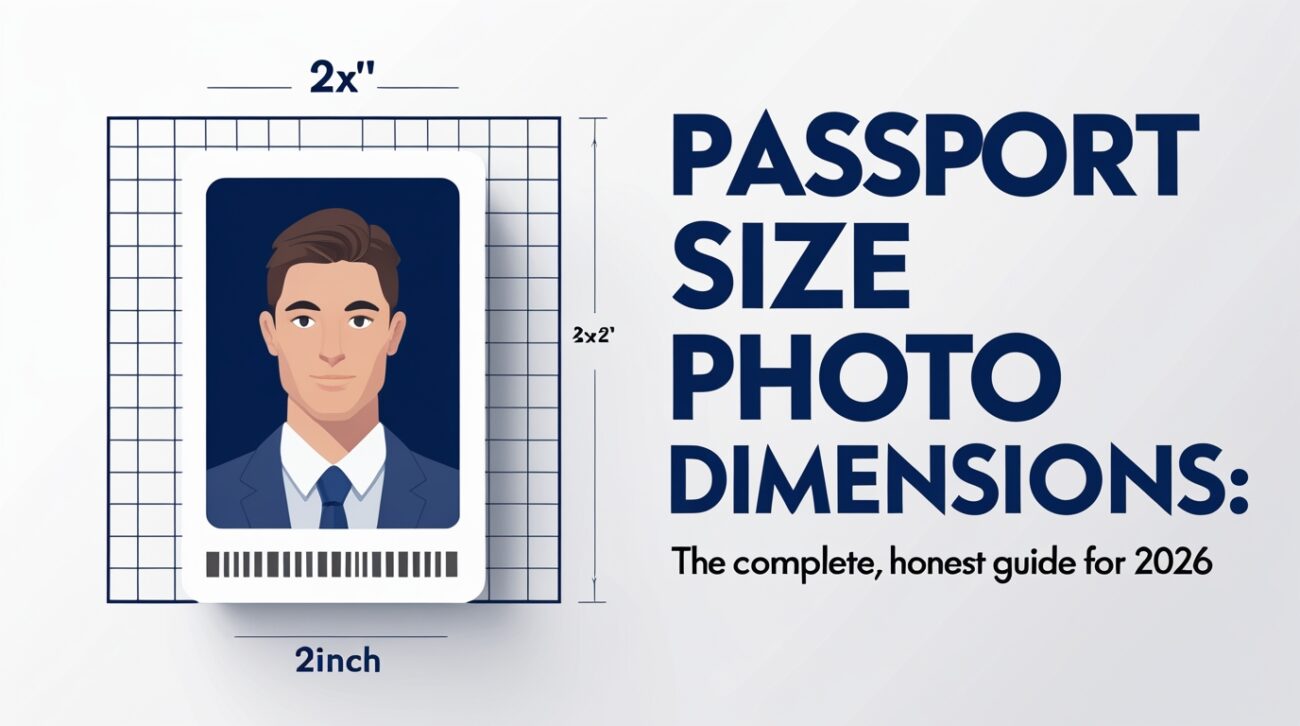
Nobody thinks about passport photos until they absolutely have to. Then suddenly you’re staring at a two-inch square and wondering why something so small comes with so many rules.
Here’s the truth. Getting your passport photo right is not difficult. But it does require knowing a few specific numbers — and more importantly, knowing that those numbers are different depending on which country you’re applying to.
This guide covers all of it. Every measurement. Every country rules. Every reason photos get rejected. By the time it’s all over, you’ll know exactly what to do.
Quick Reference
| Country | Photo Size | Head Height | Background | DPI |
| United States | 2×2 in (51×51 mm) | 1–1⅜ in (25–35 mm) | White or off-white | 300 min |
| United Kingdom | 35×45 mm | 29–34 mm | White or light grey | Not specified |
| Canada | 50×70 mm | 31–36 mm | White or light grey | 300 min |
| Australia | 35×45 mm | 32–36 mm | White or light grey | 300 min |
| India | 35×45 mm | Similar to UK | White | 300 min |
| Germany / EU | 35×45 mm | 32–36 mm | Light grey or white | 300 min |
| France | 35×45 mm | 32–36 mm | Light grey or white | 300 min |
| Japan | 35×45 mm | 32–34 mm | White or light blue | 300 min |
| Vietnam | 40×60 mm (passport) | — | White | 300 min |
| China | 33×48 mm | 28–33 mm | White or light blue | 300 min |
Why There’s No Single Global Passport Photo Size
This surprises most people. You’d think the world would agree on one standard. One size. One set of rules. It would make everything easier.
But it doesn’t work that way.
Each country’s government controls its own passport program. Each country sets its own biometric rules. Some follow international recommendations loosely. Others follow them very strictly. A few countries do their own thing entirely.
The result is that you could own passports from three different countries and need three completely different photo sizes for each one.
The closest thing to a global standard is 35×45 mm — that’s 3.5 centimetres wide and 4.5 centimetres tall. Countries like the UK, most of Europe, Australia, India, Japan, and dozens of others use this size. But it’s not universal.
The United States is the biggest outlier. Americans use a perfectly square 2×2 inch photo. That’s 51×51 mm — bigger and square rather than rectangular. Canada goes even further with 50×70 mm, which is the largest standard photo used by any major country.
See also “How Much Seconds Are in a Day? Everything You Need to Know“
The US Passport Photo — Exact Measurements Explained
If you’re applying for a US passport, listen carefully. These numbers matter.
Overall photo size: Exactly 2×2 inches — that’s 51×51 mm. Not roughly square. Exactly square. The system will reject anything slightly off.
Your face in the photo: Your head from chin to the top of the crown must measure between 1 inch and 1⅜ inches — that’s 25 mm to 35 mm. Your face needs to fill most of the frame. Too small and it gets rejected. Too large and it gets rejected.
Position from the bottom: The top of your head should sit between 1⅛ inches and 1⅜ inches from the bottom of the photo.
Digital specs: If you’re submitting online (like through the DS-160 visa form), your photo must be at least 600×600 pixels in JPEG format and under 240 kilobytes in file size. 54 KB is the minimal file size.
The background: White or off-white only. No patterns. No textures. No gradients.
The DPI: At least 300 dots per inch for printed photos. This is what makes the image sharp enough for biometric scanning.
As of October 2025, the US State Department tightened these rules significantly. Any photo that shows signs of AI editing, beauty filters, skin smoothing, or background replacement gets automatically flagged and rejected. Submit your photo exactly as it was taken — just crop it to size. Nothing more.
The UK Passport Photo — Measurements and Rules
The UK photo is rectangular, not square. It’s 35 mm wide and 45 mm tall.
Your face from chin to crown must measure between 29 mm and 34 mm. That means your face fills roughly 70–80% of the total photo height. This is actually a tighter range than many countries.
At 300 DPI, a UK passport photo comes out at approximately 413×531 pixels. The UK government doesn’t publish an exact DPI requirement, but recommends photos be sharp and focused, which means 300 DPI is the safe minimum.
The background for UK passport photos should be plain white or a very light grey — not cream, not off-white with a yellow tint. The face should be clearly lit with no shadows on either the face or behind the head.
One important UK update: photos must now be taken within the past one month for most applications. Not six months. One month. This is stricter than most other countries and catches people off guard.
The Canadian Passport Photo — The Biggest Standard in the World
Canada uses the largest passport photo of any major nation. Their photo measures 50 mm wide by 70 mm tall. That’s notably bigger than both the US square and the standard European rectangle.
Your head height from chin to crown should be between 31 mm and 36 mm. The face should fill about 50–75% of the photo height.
Here’s the detail that throws people completely off guard with Canadian passport photos. When you get a printed version, someone must physically stamp the back of the photo. The photographer’s full name, their address, and the date the photo was taken all need to appear on the back. Self-printed photos need a handwritten notation in the same format. This is a completely unique requirement that no other major country has.
Understanding Head Height — The Measurement Most People Ignore
The overall photo size is only half the equation. The other half is how big your face appears within that photo.
Every country specifies how tall your head should be — measured from the bottom of your chin to the very top of your skull (not just the top of your hair). This measurement is called the head height.
If your head is too small in the frame, it looks like you’re standing far away. The system sees too much background. Rejected.
If your head is too big, it looks cramped. Your crown might get cut off. Rejected.
The sweet spot is different by country. For US photos, your face needs to take up roughly 50–70% of the photo. For UK photos, it’s 70–80%. For Australian photos, it’s 60–80%. These aren’t suggestions. They’re rules enforced by scanning software.
Pixels and DPI — The Digital Side Nobody Explains Clearly
Here’s the one thing that confuses almost everyone. Millimetres and inches describe the physical printed photo. Pixels and DPI describe the digital file.
They’re connected — but understanding how is important.
DPI stands for “dots per inch.” It tells you how many pixels are squeezed into each inch of the printed image. 300 DPI is the standard minimum. Higher is fine. Lower and the photo looks blurry when printed.
How to calculate pixels from physical size:
- US photo: 2 inches × 300 DPI = 600 pixels per side → 600×600 pixels
- UK photo: 35mm ÷ 25.4 × 300 DPI ≈ 413 pixels wide; 45mm ÷ 25.4 × 300 DPI ≈ 531 pixels tall → 413×531 pixels
- Canada photo: 50mm ÷ 25.4 × 300 DPI ≈ 591 pixels wide; 70mm ÷ 25.4 × 300 DPI ≈ 827 pixels tall → 591×827 pixels
At 600 DPI — which some digital forms request — those pixel counts double. Higher resolution files give the scanning system more data to work with and are never a problem.
File format: JPEG is the standard for every country. PNG files are sometimes accepted for online submissions but JPEG is the universal safe choice.
File size matters too. The US DS-160 form has a hard cap of 240 KB. A 600×600 pixel JPEG at moderate compression usually comes in around 100–200 KB, which fits within that limit.
The Background Rule — Plainer Than You Think
Every country requires a plain, light background. Most require white. A few allow light grey. Some allow very pale blue.
But here’s where people slip up. They sit in front of a white wall, take the photo, and assume they’re fine. Then the wall has a shadow on it. Or there’s a faint pattern in the paint. Or the edge of a picture frame is just barely visible.
Any of those things can cause rejection.
The background needs to be evenly lit and completely featureless. No texture. No depth. No shadow falling behind your head. Just flat, clean, bright white.
Some online tools now offer background removal or background replacement. Starting in 2025, these are flagged as digital editing violations by US, UK, and multiple EU systems. Don’t use them. Hang a white bedsheet or stand in front of a smooth white wall. Do it the old-fashioned way.
Your Face in the Photo — What the Rules Actually Say
Facial rules exist because passport photos feed directly into biometric identification systems. These systems scan your face, measure the distances between your features, and create a unique digital fingerprint. The photo has to be consistent for that to work.
Expression: Neutral is the rule. Mouth closed, eyes fully open, looking straight at the camera. A gentle natural expression is fine. A big grin? That distorts the geometry of your face. Rejected.
Eyes: Both eyes must be fully open and clearly visible. No squinting. No tinted lenses. No sunglasses. In most countries, prescription glasses are now banned outright unless you have a signed letter from a medical professional explaining you cannot remove them.
Head position: Face the camera directly. No tilting. No turning to either side. No looking up or down. Straight. Forward. Level.
Hair: It can’t fall across your face. It can’t cast a shadow on your forehead. Pull it back if needed.
Head coverings: Hats and hoods are not allowed. Religious head coverings are permitted in most countries as long as they don’t cover any part of the face. The rule is simple — your full face must be completely visible, from hairline to chin, from ear to ear.
What You Wear — Quick Rules
The clothes you wear in a passport photo matter more than most people realize.
Don’t wear white. Your outfit needs to show up against the background. All-white clothing blends in and becomes invisible. Wear something with a little contrast — any color other than white works.
Don’t wear a uniform. Military uniforms, police uniforms, even uniforms that just look official can get your photo flagged.
Don’t wear heavy accessories. Dangling earrings, large necklaces, and anything that could draw the attention of the biometric scanner away from your face — these can cause problems. Keep accessories minimal.
Everyday clothes are completely fine. A regular shirt or blouse works perfectly. The photo is from the shoulders up. Nothing fancy required.
Country-by-Country Quick Reference
Australia: Uses 35×45 mm. Both ears must be fully visible — this is stricter than most countries. The face must fill 60–80% of the frame. Shadows on the face or behind the head are scrutinized particularly carefully here.
India: Uses 35×45 mm. The background must be white (not grey). Requirements are similar to the UK standard photo.
Vietnam: Uses 40×60 mm for passport applications but 35×45 mm for visa applications. A rare case where the same person needs different sizes for different documents from the same country.
China: Uses a slightly unusual 33×48 mm format. The background can be white or pale blue. Face should occupy 50–70% of the image height.
Japan: Uses 35×45 mm with a very strict face-height range of 32–34 mm. The head must be completely straight. The background should be white or very pale blue.
Germany and most EU countries: Use the 35×45 mm European standard. Since May 2025, some EU countries — Germany included — now require passport photos to be produced digitally by a certified photographer and submitted directly to the government authority. Self-taken or self-printed photos may no longer be accepted in those markets.
Common Reasons Passport Photos Get Rejected
More than 300,000 passport applications were rejected in the US alone in 2024 because of non-compliant photos. That’s a massive number. The majority of those denials were entirely preventable.
These are the most common reasons:
- Wrong dimensions — submitting a 35×45 mm photo for a US application or vice versa
- Shadow on the face or background — the most common single failure
- Head too small or too large in the frame
- Glasses in the photo without medical documentation
- Smiling with visible teeth
- Background that isn’t pure white (cream, off-white, light yellow — all get flagged)
- Photo taken more than 6 months ago (US/Canada) or more than 1 month ago (UK)
- AI filters, beauty enhancements, or any digital editing
- Hair covering part of the face or casting shadow on the forehead
- EXIF data in the digital file showing a photo date older than allowed
That last one is genuinely surprising. Some submission portals automatically read the date embedded in your photo file. If your phone had the wrong date set when you took the photo, the system might think the photo is old and reject it — even if you took it yesterday.
How to Take a Good Passport Photo at Home
You do not need a professional studio. You need a phone, a white wall, and decent natural light.
Use the rear camera. Not the selfie camera. Rear cameras have better resolution and less distortion around the edges.
Find a flat white wall with no texture or pattern. Position yourself about one metre away from it so no shadow falls behind your head.
Set up your phone at eye level on a stack of books or a tripod. Having someone else take the photo gives you a straighter, better-framed result than holding the phone yourself.
Take the photo during daylight hours facing a window. The light should fall on your face evenly, not from one side. Avoid direct sunlight, which creates harsh shadows.
No filters. No editing beyond basic cropping to the required dimensions. Export as a JPEG file.
After taking the photo, crop it to the correct dimensions for your country using any photo editing app or an online tool. Print it at 300 DPI. Done.
Final Words
Passport photos feel like the smallest part of an application process. But they cause more delays and rejections than almost anything else.
The good news is that the rules, while specific, are not actually complicated. White background. Correct size for your country. Face centered, expression neutral, eyes open. No glasses unless medically necessary. No filters, no editing, no old photos.
Know the exact dimensions your country requires. Know the head-height range. Know the DPI needed for printing or digital submission.
Get those right and your photo will sail through. Miss any one of them and you’re looking at weeks of delay.
Now you know exactly what to do. There’s no reason to get this wrong.
FAQs
1. What is the standard passport photo size?
There is no single global standard. The most common size worldwide is 35×45 mm, used by the UK, most of Europe, Australia, India, Japan, and many others. The US uses 2×2 inches (51×51 mm). Canada uses 50×70 mm. Always check the requirements for the specific country you’re applying to.
2. What size is a US passport photo in pixels?
At 300 DPI, a US 2×2 inch passport photo equals 600×600 pixels. For the online DS-160 visa form, a minimum of 600×600 pixels is required with a maximum file size of 240 KB in JPEG format.
3. Can I take my own passport photo at home?
Yes, in most countries. Use your phone’s rear camera, stand in front of a smooth white wall, ensure even lighting on your face, and crop to the exact dimensions required. Do not apply any filters or editing. In some EU countries like Germany, as of May 2025, photos must be taken by a certified photographer for official passport applications — always verify your country’s current rules.
4. What background color is required for a passport photo?
Most countries require plain white. The UK also accepts light grey. Some countries like China and Japan allow pale blue. No patterns, no textures, no shadows, and no background replacement tools — even digital ones.
5. How much of the photo should my face fill?
It depends on the country. For US photos, your face should fill 50–70% of the photo height. For UK photos, 70–80%. For Australian photos, 60–80%. This is the head-height measurement — from your chin to the top of your skull — expressed as a proportion of the total photo height.
6. Can I wear glasses in my passport photo?
In most countries — including the US, UK, and most of Europe — glasses are no longer permitted unless you have a signed statement from a medical doctor confirming they cannot be removed for medical reasons. Even then, the glasses cannot have tinted lenses and there must be no glare or reflection.
7. Can I smile in a passport photo?
In most nations, it is acceptable to express oneself gently and naturally. But a big open smile showing teeth is not allowed. The facial expression must be neutral, with your mouth closed or nearly closed, to allow the biometric systems to accurately measure your facial geometry.
8. How old can my passport photo be?
The US and Canada require photos taken within the past 6 months. The UK requires photos taken within the past 1 month — which is significantly stricter. Some countries’ online submission portals also read the EXIF data embedded in your image file to verify the photo date, so make sure your phone’s date is set correctly.
9. What is the DPI requirement for passport photos?
300 DPI is the standard minimum for printed passport photos in virtually every country. At 300 DPI, a US 2×2 inch photo equals 600×600 pixels. Higher DPI is always acceptable. Lower than 300 produces blurry prints that will be rejected.
10. Can I apply for a passport using a picture from my phone?
Yes, as long as the photo meets all the technical requirements. Modern smartphones taken with the rear camera at a minimum of 12 megapixels easily meet the 300 DPI standard when properly cropped. Make sure no filters were applied and that the lighting was even.
11. Can I use a US passport photo for a UK visa application?
No. A US 2×2 inch square photo does not meet UK requirements. The UK requires a 35×45 mm rectangular photo. You will be rejected if you submit the incorrect size. They are completely different formats and are not interchangeable.
12. What clothing should I wear for a passport photo?
Wear everyday clothing that is not white. Avoid uniforms and very large accessories. Anything other than white works for the outfit — the key is that your clothing doesn’t blend into the white background. Keep it simple. The photo is from the shoulders up.
13. Are AI-edited passport photos allowed?
No. Strict regulations prohibiting any AI modification, beauty filters, skin smoothing, or backdrop replacement will be enforced by the US State Department starting in October 2025. Several EU countries have implemented similar rules. Submit your photo as-taken, with only basic cropping to the required dimensions. AI-processed photos are automatically flagged and rejected.
14. What are the most common reasons passport photos get rejected?
Wrong dimensions, shadows on the face or background, head size too small or too large in the frame, glasses without medical documentation, visible teeth when smiling, background that isn’t pure white, photo taken outside the allowed time window, digital editing or AI filters, and hair covering any part of the face.
15. Where can I get a passport photo taken if I don’t want to do it myself?
Pharmacies like Walgreens and CVS in the US, post offices in the UK, photography studios, and many supermarkets offer passport photo services. Many cities also have dedicated passport photo shops. Prices vary from about $10 to $20 for two printed photos in the US, and roughly £8–£15 in the UK. Online services can also produce correctly sized digital files you print at home.
Keep creating, innovating, and inspiring with Content Ideators every day.
