
There’s a tiny game hiding inside Google Search. Most people have never noticed it. But once you find it, you might spend the next hour forgetting what you were originally searching for.
It’s called Google Block Breaker — and it’s one of the most satisfying little games you can play right now, for free, without downloading a single thing.
This is the full story. Where it came from. How to play it.How to become an expert at it. And why do millions of people keep going back?
Quick Facts
| Detail | Info |
| Game Name | Google Block Breaker |
| First Launched | January 2025 (current version) |
| Original Inspiration | Atari Breakout (1976) |
| How to Access | Search “block breaker” on Google |
| Cost | 100% free |
| Download Required | No |
| Account Required | No |
| Levels | 150+ |
| Platforms | Desktop, mobile, tablet |
| Controls | Mouse, arrow keys, or touch screen |
| Lives Per Game | 3 (shown as hearts) |
| Internet Required | Yes |
| First Google Version | May 2013 (Atari Breakout Easter egg in Google Images) |
What Exactly Is Google Block Breaker?
Imagine you’re on Google, searching for something completely ordinary. Then, out of nowhere, a little game card pops up at the top of your results. Colorful blocks. A paddle. A bouncing ball.
That’s Google Block Breaker.
It runs right inside your browser, on the Google search page itself. No app. No install. No pop-ups asking you to create an account. You just hit Play and go.
The goal is simple enough for a 7-year-old to understand. You control a paddle at the bottom of the screen. A ball bounces around. You keep the ball from falling past you while using it to knock out all the colored blocks above.
Clear all the blocks, and you move to the next level. Miss the ball and lose all three of your lives, and the game ends.
See also “How to Download YouTube Videos from a Link — The Complete Honest Guide for 2026“
The Wild History Behind This Game — Starting in 1976
To really understand Google Block Breaker, you have to go back almost 50 years.
It was 1976. Arcade games were new and exciting. A company called Atari wanted to make a single-player version of their hit game Pong. Instead of two players hitting a ball back and forth, what if one person used a paddle to smash through a wall of bricks?
That was the idea for Breakout.
Here’s the crazy part of the story. Atari gave the job to a young technician named Steve Jobs — yes, the same Steve Jobs who would later co-found Apple. Jobs had no real engineering talent for this kind of task. So he secretly called in his genius friend Steve Wozniak to do the actual building.
Wozniak worked four nights straight. He barely slept. He designed the game’s hardware using fewer than 50 chips, when most games needed 150 or more. That was a miracle of engineering at the time.
Jobs got paid. He then quietly told Wozniak he received far less than Jobs had actually earned, pocketing the difference. Wozniak found out years later. It was one of the few times the two future Apple legends had a real falling out.
But the game itself? It was a massive hit. Breakout shipped 11,000 arcade cabinets. It was one of the top five highest-grossing arcade games of 1976.
And here’s an extra fun fact: Wozniak later said that many features of the Apple II computer — the machine that helped launch the personal computer revolution — were designed specifically because he wanted to write Breakout as software. One little arcade game quietly shaped the future of computing.
From Arcade Cabinets to Google Search
For decades, games in the Breakout style stayed popular. They had different names — Arkanoid, Brick Breaker, Block Buster — but the idea never changed. Ball. Paddle. Blocks. Break them all.
Then in May 2013, Google did something unexpected.
Google hid a version of the game inside Google Images. You had to know the secret. Go to Google Images. Type the words “Atari Breakout” into the search bar. Press Enter.
For a second, it looked like normal image results were loading. Then the whole page transformed. Every thumbnail image became a colored brick. A paddle appeared at the bottom. A ball popped up. And just like that, you were playing Breakout — inside Google’s image search.
People lost their minds over it. It was Google’s tribute to the 37th anniversary of the original Atari game. Tech blogs, news sites, and social media all went wild talking about it.
You started with five balls. The rows of image-bricks were in colors — blue, green, yellow, orange, red. Beat one level and Google generated a new level using a random image search. Ginseng. Penguins. A famous painting. Whatever Google pulled up became your next set of bricks.
It was a clever, playful, genuinely delightful surprise.
Google quietly removed the Easter egg from Images in 2020. Fans were sad. But the story wasn’t over.
The 2025 Comeback — A Proper Game This Time
In January 2025, Google came back with something better.
The new Google Block Breaker launched on the main search results page. Not buried in Images. Right there at the top, when you searched “block breaker.”
This wasn’t just a simple Easter egg anymore. It was a real game — built with modern web technology, fully playable on phones and computers, with structured levels, power-ups, a proper life system, and even light and dark mode support.
Over 10 million people played it in its first month alone. That’s a staggering number for a game hidden inside a search engine.
The spirit of the 1976 original was still there. But everything else had been rebuilt for 2025 and beyond.
How to Find and Start the Game Right Now
This is the easiest part.
- Open any web browser — Chrome, Firefox, Safari, Edge, it doesn’t matter.
- Go to Google.com.
- Type “block breaker” or “Google block breaker” into the search bar.
- Hit Enter.
- A large, colorful game card appears at the top of the results.
- Click or tap Play.
That’s it. You’re within about three seconds.
On a computer, hit the spacebar or click on the game screen to launch the ball. On your phone, just tap. From there, the arrow keys or your mouse control the paddle on the desktop. On mobile, swipe left and right.
If the game doesn’t appear, try clearing your browser cache or switching to a different browser. Sometimes a VPN can interfere, too — turn it off and try again.
How the Game Works — The Full Breakdown
Let’s walk through everything you see when the game starts.
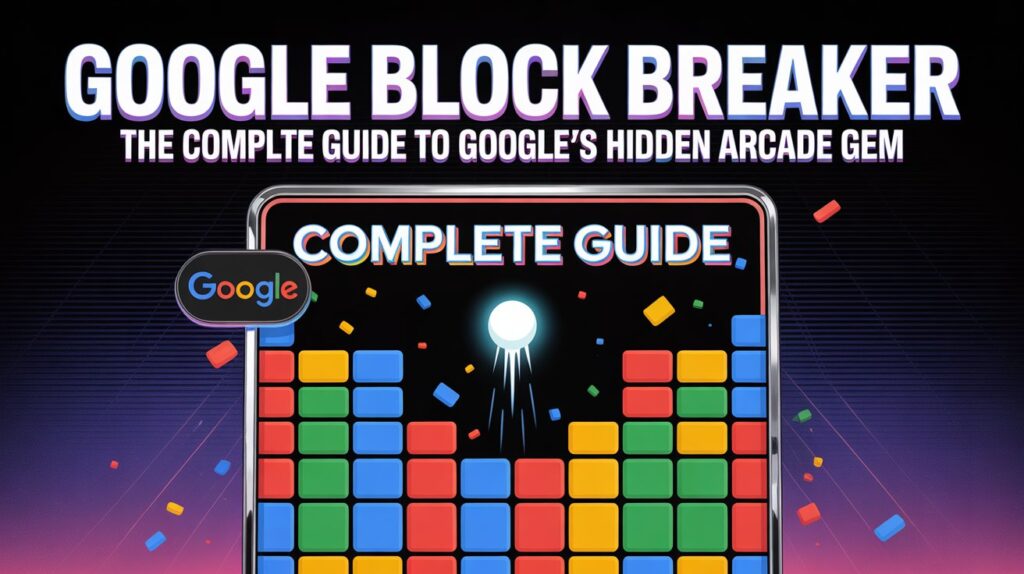
At the top of the screen, you’ll see rows of colorful blocks. Some are bright and easy. Others are darker, which means they take more than one hit to break. And some blocks look almost metallic — those are indestructible. You can’t break them. You have to work around them.
At the bottom, you control a paddle. Think of it like a tiny shelf. Your job is to keep the ball bouncing off it.
The ball starts in the middle and launches upward when you begin. From there, it bounces off walls, off the ceiling, off blocks, and back down toward your paddle.
Every time the ball hits a block, that block takes damage. Break a block and it disappears, earning you points. Break the last block on the screen and the level is complete.
But if the ball sneaks past your paddle — game over for that life. You have three lives shown as little hearts. Lose all three, and the game resets.
The levels start gentle. Early stages have simple rows, slow ball speed, and plenty of room for mistakes. By the time you reach later levels, the ball moves faster, the block patterns get tricky, and those indestructible blocks start making your life genuinely difficult.
Power-Ups — The Game Changers
Some blocks drop glowing icons when you break them. Let the icon fall and it vanishes. Catch it with your paddle, and something changes.
These are the main power-ups you’ll encounter:
- Paddle Extension — Your paddle grows wider. This is gold, especially when things speed up.
- Multi-Ball — One ball becomes two or three. Chaotic and amazing.
- Fireball — The ball blasts straight through multiple blocks in a single pass instead of bouncing.
- Slow Motion — The ball slows down, giving you a breather.
- Extra Life (Heart) — Adds one more life. Always worth catching.
- Laser — Your paddle shoots projectiles upward, destroying blocks from a distance.
- Sticky Paddle — The ball sticks when it hits your paddle, letting you aim before releasing.
Not all power-ups are good news, though. Some versions of the game drop negative effects — your paddle shrinks, or the ball speeds up suddenly. Pay attention to the color and icon before you chase one down.
Tips and Tricks to Actually Get Good
Most players lose their first few rounds. That’s fine. Here’s what the good players know that casual players don’t.
Aim with the edges of your paddle. Hitting the ball near the center sends it back in a predictable straight line. Hitting it near the edges angles it sharply. Use that trick to aim for specific blocks instead of just hoping the ball wanders there.
Watch the ball, not the paddle. New players stare at their paddle. Better players lock their eyes on the ball. Your hands will follow instinctively.
Stay centered by default. Don’t chase the ball all the way to one corner. Keep your paddle near the middle and make small, smooth adjustments. Big panicked swings cause missed catches.
Create a gap through the blocks. If you break a vertical column all the way to the top, the ball can get trapped bouncing between the ceiling and the top row of blocks. This clears bricks incredibly fast without much effort from you.
Don’t chase every ball during multi-ball. When three balls are flying around, don’t try to catch all of them. Get your paddle in the center and let your wider coverage do the work. Saving at least one ball matters more than catching every single one.
Study the layout before you launch. Every level starts with a frozen moment before the ball moves. Use that second to look at the block pattern. Find the weak spots. Plan your first few shots.
The Scoring System and World Records
Points depend on which blocks you break. Blocks near the bottom of the screen are worth less. The ones near the top are worth much more. Higher risk, higher reward — just like in life.
Breaking multiple blocks in rapid succession builds a combo multiplier that boosts your score. Clearing a level without losing a life also gives you a bonus.
As of early 2025, the highest recorded Google Block Breaker score was 111,475 points, set on March 29, 2025. Whether that number has been beaten since? Almost certainly yes. The community of serious players is growing, and the game is only getting more popular.
Why This Game Feels So Good — The Real Reason
There’s an actual psychological explanation for why Block Breaker is so hard to put down.
Every level has a clear end. You know exactly when you’ve won. The last brick disappears, and that’s it — done. Your brain gets a little burst of satisfaction from that clear, definitive finish. It’s the same feeling of checking off the last item on a to-do list.
Modern life is full of things that never quite end — long projects, ongoing emails, open-ended problems. Block Breaker is the opposite. It gives you a beginning, a middle, and a satisfying end. In about five minutes.
That’s why so many people call it the perfect mental reset between tasks. It’s not procrastination. It’s a tiny, bounded challenge with a real payoff.
Google Block Breaker vs. The 2013 Version — What Changed
These two games share a name and DNA, but they are different creatures.
The 2013 version lived inside Google Images. Your “bricks” were actual image thumbnails from Google’s search results. It was a one-time novelty — clever and surprising, but rough around the edges. You got five balls and no structured progression. The levels just kept shuffling random image searches.
The 2025 version is a purpose-built game. It lives on the main search page. It has 150+ structured levels. It has a proper life system with hearts. It has varied block types, real power-ups, mobile optimization, light and dark mode, and a score system that rewards skill.
The 2013 version was a charming prank. The 2025 version is a real game that happens to live inside Google Search.
Can You Play It on Your Phone?
Yes, and it works surprisingly well.
Touch displays were taken into consideration when creating the game.. Swipe your finger left and right anywhere on the screen to move the paddle. Tap to launch the ball. The response feels smooth, not laggy.
The one thing that takes getting used to is that mobile screens are smaller. The ball moves the same speed it would on a desktop, but you have less visual space to react. Start with slower early levels to get your thumb timing right before tackling the harder stages.
Final Words
Google Block Breaker is technically just a hidden feature inside a search engine. But it represents something bigger.
It connects us to a moment in 1976 when two guys named Steve — one scheming, one genius — built a simple game with a ball and some bricks. That game quietly influenced the design of one of the most important computers ever made. It launched an entire genre of games that millions of people have loved for 50 years.
And now, with two taps on a search bar, you can play a piece of that history. For free. Anywhere. In under 30 seconds.
That’s pretty remarkable, honestly.
Whether you’re killing five minutes between meetings or chasing a personal best score at midnight, Google Block Breaker is right there waiting. Simple as a ball and a paddle. Deep enough to keep pulling you back.
Go search for it. You’ll see what we mean.
FAQs
1. What is Google Block Breaker?
It’s a free arcade game hidden inside Google Search. You control a paddle, bounce a ball, and break rows of colored blocks across 150+ levels. No download, no account, no cost.
2. How do I start playing?
Open any browser, go to Google.com, type “block breaker” in the search bar, press Enter, and click the Play button that appears at the top of the results.
3. Is it the same as the 2013 Atari Breakout Easter egg?
No. They share the same idea but are separate games. The 2013 version lived inside Google Images and used photo thumbnails as bricks. The 2025 version is on the main search page with proper levels, power-ups, and a live system.
4. Does it work on a phone?
Yes. It’s fully optimized for touch screens. Swipe your finger to move the paddle and tap to launch the ball.
5. Is it completely free?
Yes. There are no in-app purchases, no subscriptions, no ads inside the game. Just pure, free play.
6. Do I need to create an account or sign in?
No. You can play instantly without any kind of login.
7. Can I play it offline?
No. Unlike the Chrome dinosaur game, this one requires an active internet connection because it loads through Google Search.
8. What are the power-ups and what do they do?
The main ones are: Paddle Extension (wider paddle), Multi-Ball (splits into 2-3 balls), Fireball (blasts through multiple blocks), Slow Motion (slows the ball), Extra Life (adds a heart), Laser (shoots projectiles from paddle), and Sticky Paddle (ball sticks so you can aim). Some negative power-ups can shrink your paddle or speed up the ball.
9. How many lives do I get?
You start with three lives, shown as heart icons. Catching a heart power-up during play can add a life back.
10. What’s the highest score ever recorded?
As of early 2025, the highest publicly recorded score was 111,475 points. It’s likely been surpassed since.
11. Why does the ball’s direction change depending on where I hit it?
It’s basic physics baked into the game design. The center of the paddle sends the ball upward in a predictable path. The edges create sharp angled bounces. Smart players use this deliberately to aim at specific blocks.
12. What happens if the game doesn’t appear on Google?
Try searching “brick breaker Google” or “block breaker game” as alternate search phrases. Clear your browser cache, turn off any VPN, or switch to Chrome. If all else fails, third-party sites like elgoog.im host preserved versions.
13. Does the game save my progress?
Your in-session progress saves automatically. If you close the browser, your level progress may reset, but your high score is saved locally. There’s no cloud save tied to a Google account.
14. Who originally invented the Breakout game?
The original Breakout was created for Atari in 1976. Nolan Bushnell conceived the idea, and Steve Wozniak built the hardware prototype (with credit controversially managed by Steve Jobs). Both Wozniak and Jobs later co-founded Apple.
15. Is there a trick to getting really high scores?
Yes. Target upper-row blocks — they’re worth more points. Use the edges of your paddle to angle the ball precisely. Break vertical gaps through the block wall to trap the ball at the top. Catch power-ups whenever they fall. Stay calm during fast, multi-ball phases by centering your paddle instead of chasing every ball individually.
Keep creating, innovating, and inspiring with Content Ideators every day.
