
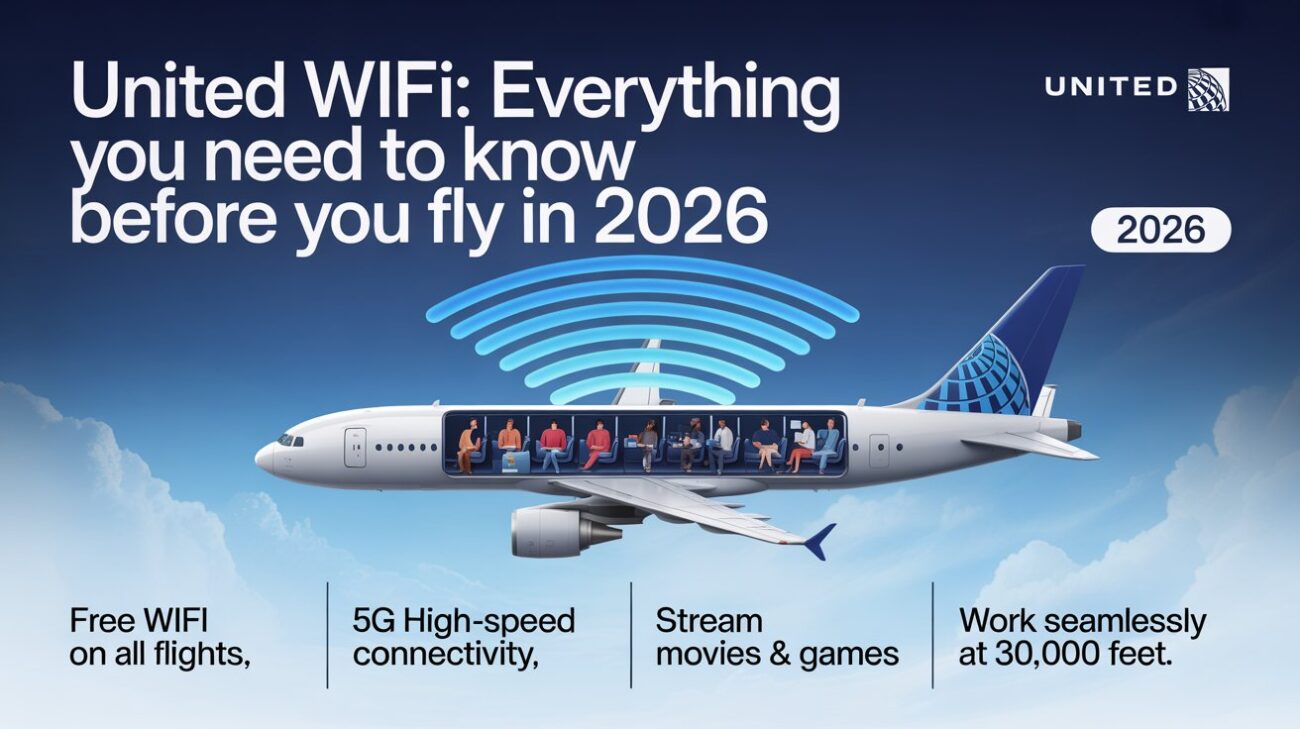
Picture this. You settle into your seat. The plane starts moving. You pull out your laptop because you have work to finish or a show to watch. And then comes the big question — is the WiFi going to actually work on this flight?
If you’re flying United Airlines, the answer depends on which plane you’re sitting on.And at the moment, the response is rapidly evolving.
This is the full story of United WiFi — how it works, what it costs, what’s free, and what’s coming next.
Quick Facts
| Detail | Current Status (May 2026) |
| WiFi available on | Most United mainline and regional flights |
| Free WiFi option | Yes — on Starlink-equipped planes for MileagePlus members |
| Starlink planes active | 300+ regional aircraft as of February 2026 |
| Target by end of 2026 | 800+ aircraft with Starlink |
| Full fleet Starlink target | End of 2027 |
| Price for MileagePlus members (non-Starlink) | $8 per flight or 1,600 miles |
| Price for non-members (non-Starlink) | $10 per flight |
| Monthly subscription | $49/month domestic, $69/month global |
| Annual subscription | $539 domestic, $689 global |
| Free texting | Yes — iMessage, WhatsApp, Google Messages on all WiFi flights |
| T-Mobile perk | Ended April 2026 |
| Credit card discount | 25% off with any Chase United MileagePlus card |
The Big Picture: What United WiFi Actually Is
United Airlines started offering inflight WiFi years ago.
For a long time, it ran on older satellite technology. The speeds were okay for emails. The streaming video was hit or miss. Heavy usage slowed things down for everyone on the plane.
Then in September 2024, United made a huge announcement. They signed a deal with SpaceX — yes, the rocket company — to bring Starlink internet to their entire fleet.
Starlink works differently from the old systems. It uses hundreds of small satellites flying close to Earth instead of one big satellite far away. That means faster speeds, lower delays, and a much better experience overall.
Some users are reporting speeds good enough to video call, stream HD movies, and even play online games at 30,000 feet. That’s a genuinely new thing for airline WiFi.
See also “NFLBite: The Full Story Behind Football’s Most Famous Free Streaming Site“
The Two Very Different WiFi Experiences Right Now
Here’s the honest part most guides skip.
Right now in 2026, United has two very different WiFi experiences happening at the same time. Which one you get depends entirely on which plane you’re sitting on.
Option One — Starlink planes. These are the good ones. Around 300 regional aircraft already have it installed as of February 2026. If you’re a MileagePlus member, the WiFi is completely free on these flights. Fast, reliable, no charge. You log in with your loyalty account and you’re online.
Option Two — non-Starlink planes. These are everything else. Over a thousand mainline aircraft are still running the older Viasat system. WiFi works, but it’s slower and you have to pay for it. MileagePlus members pay $8. Everyone else pays $10.
So the experience you get on Tuesday’s flight to Denver could be totally different from the experience on Thursday’s flight to Los Angeles. It just depends on the aircraft United assigns to that route.
You can actually check before you fly. Go to united.com and search your flight status. If your plane has Starlink, a banner will show up telling you. It’s worth checking the night before your trip.
How to Connect — Step by Step
Connecting is easy once you know the process.
First, put your device in airplane mode. This is required on all flights. Then turn WiFi back on inside airplane mode — that part is allowed.
In your WiFi settings, look for the United WiFi or United Inflight WiFi network. Make a connection with it.
Open your browser. Go to unitedwifi.com. A portal page will load automatically.
If your flight has Starlink, sign in with your MileagePlus details and you’re connected for free. If your flight runs on the older system, you’ll see pricing options and choose what you want.
Pay with a card, or use MileagePlus miles if you want to use points instead. Then you’re online.
The whole process takes about two minutes once you know what to do.
What Does United WiFi Cost Right Now?
Let’s break down every pricing option honestly.
Per-flight purchase: MileagePlus members pay $8. Non-members pay $10. This is for domestic flights and most short international routes. Long-haul international flights cost more — usually around $20 to $35 depending on the route and the plane.
Miles option: MileagePlus members can pay 1,600 miles for a domestic flight pass instead of cash. If you have miles sitting around unused, this is a nice way to spend them.
Monthly subscription: $49 per month for domestic flights including Canada and Central America. $69 per month if you want global coverage including international flights. These are good values if you fly United regularly — even two or three flights a month makes the math work in your favor.
Annual subscription: $539 for domestic, $689 for worldwide. That’s the monthly price times eleven — so you basically get one month free by paying annually.
Day pass: United used to offer this more widely. It’s still available for MileagePlus members — covers all your flights for a full calendar day at the same price as a single flight. Good if you’re making a connection.
Free Texting — Even Without Paying for WiFi
Here’s a detail that genuinely surprises people.
On every United flight that has any WiFi at all, you can send text messages for free. No purchase needed.
Connect to the WiFi network. Don’t pay for anything. Open iMessage, WhatsApp, or Google Messages. Type your message. Hit send.
It works. It’s free. United allows messaging on all WiFi-equipped flights without charging a single cent.
This is huge for anyone who just wants to tell their family they’ve landed safely or send a quick note to a colleague. You don’t need to open your wallet for that.
What you can’t do for free — at least on non-Starlink flights — is browse the web, check email, stream video, or do anything beyond basic messaging. That requires a paid plan or a Starlink-equipped aircraft.
The T-Mobile Story: A Free Perk That Just Disappeared
For a while, T-Mobile customers had a fantastic deal on United flights.
If you had a qualifying T-Mobile plan — Magenta, Magenta MAX, Go5G, or similar — you got completely free WiFi on United flights. Full browsing. Full streaming. No charge at all. It was one of the best travel perks a phone plan has ever offered.
That changed on April 13, 2026.
T-Mobile quietly removed United Airlines from its list of supported partner airlines. No big announcement. No advance warning to customers. One day the perk was there. The next day it wasn’t.
United said T-Mobile initiated the change, not them. T-Mobile offered no public comment. The relationship just ended.
T-Mobile still offers free WiFi on Delta, Southwest, Alaska, and Hawaiian flights. If you’re a T-Mobile customer and WiFi matters to you, those airlines are now the better choice until United finishes its Starlink rollout.
For current United passengers without Starlink on their flight — this means paying $8 or $10 per flight that they used to get for free. That adds up quickly for frequent flyers.
The Starlink Revolution: What It Means for Passengers
Starlink is not just a better version of old airline WiFi. It’s a fundamentally different thing.
Old airline WiFi — including the Viasat system United still uses on most of its planes — relies on geostationary satellites. These sit about 22,000 miles above Earth. That enormous distance creates a noticeable delay in every data packet traveling back and forth. It’s why video calls stutter and web pages load slowly even when the “connection” is technically active.
Starlink satellites orbit at just 340 miles above Earth. The data travels a fraction of the distance. The delay drops dramatically. Speeds on Starlink-equipped United flights can hit 100 to 500 Mbps. For reference — that’s often faster than the home WiFi many people have.
Passengers who’ve flown on United’s Starlink aircraft describe it as something genuinely surprising. Video calls that actually work. Streaming that doesn’t buffer. The same internet you’d have sitting at your kitchen table, but at 35,000 feet over the Midwest.
United’s VP of Digital Technology put it plainly: customers are loving the new experience. The rollout is happening at what United describes as an unprecedented speed for aviation technology.
The Rollout Timeline: When Will Your Flight Have It?
This is the part people want to know most.
As of February 2026, Starlink is installed on over 300 regional aircraft. These are mostly smaller two-cabin planes like the Embraer E175 operated by United Express regional partners. These planes cover shorter routes between smaller cities and major hubs.
The first mainline commercial flight with Starlink left Newark Airport on October 15, 2025. That was the starting gun for the bigger rollout.
By the end of 2026 — United plans to have Starlink on over 800 aircraft total. That means around 500 mainline jets getting installed throughout 2026. Boeing 737s appear to be first in line for the mainline fleet.
By the end of 2027 — the full fleet of roughly 1,100 aircraft should be Starlink-equipped.
There is one technical reason this takes time. The FAA requires what’s called a Supplemental Type Certification for each different aircraft model. United operates 16 different regional and mainline aircraft types. Each one needs its own individual FAA approval before installation can begin. The regulatory process moves at its own pace regardless of how fast United wants to move.
As of today, passengers on about a quarter of United’s daily flights have Starlink. That fraction will grow significantly by the time 2026 ends.
MileagePlus Members Get the Best Deal
You don’t need elite status to benefit from United’s best WiFi options.
A basic MileagePlus membership is free. Zero dollars. You sign up on United’s website, get a member number, and you’re in.
That free membership immediately saves you $2 per domestic flight — $8 instead of $10. It lets you use miles to pay for WiFi. It gives you access to the free Starlink WiFi when your flight has it. And it qualifies you for monthly and annual subscription plans that non-members can’t access.
If you fly United even twice a year, signing up for MileagePlus before you board makes financial sense. The math is simple.
Elite status members — Silver, Gold, Platinum, Premier 1K — still have to pay for WiFi on non-Starlink flights. Better status doesn’t unlock free WiFi on the old system. The only way to get free WiFi right now is Starlink + MileagePlus membership.
Credit Card Discounts: The 25% Saving
United has a family of Chase-issued credit cards. Every single one of them — including the no-annual-fee United Gateway card — gives you 25% off WiFi purchases.
In other words, a flight pass that costs $8 now only costs $6. A $49 monthly membership is reduced to roughly $37. That savings adds up significantly over the course of a year of frequent travel.
The 25% discount applies whether you’re buying a single flight pass, a day pass, or a monthly or annual subscription. You just have to pay for the WiFi with your United credit card.
If you’re considering a United credit card and you fly the airline regularly, the WiFi discount alone can offset a portion of an annual fee over the course of a year.
International Flights: A Different Story
WiFi on United’s international routes is more complicated.
For short international routes — think Canada, Mexico, Central America — pricing is similar to domestic. Around $8 for MileagePlus members.
For long-haul international flights — transatlantic, transpacific, long South American routes — the price jumps considerably. Expect $20 to $35 for a full-flight pass depending on the specific route and aircraft.
The good news is that Starlink will eventually solve this entirely. Starlink works over oceans. Old geostationary satellite systems often had coverage gaps over water, meaning some very long flights had no WiFi at all. Starlink’s low-orbit constellation doesn’t have those gaps.
Once the full fleet converts, the distinction between domestic and international WiFi pricing may disappear entirely. United hasn’t confirmed that yet, but the technology makes it possible in a way it never was before.
Troubleshooting: When It Doesn’t Work
Sometimes United WiFi just refuses to cooperate. Here’s what usually fixes it.
Make sure airplane mode is genuinely on. Some people turn WiFi back on without enabling airplane mode first. The airline’s system checks for this.
Try forgetting the network and reconnecting. Your device sometimes holds onto a stale connection from a previous flight or location.
Open the browser and go directly to unitedwifi.com rather than waiting for the portal to redirect you automatically. On some devices and browsers, the automatic redirect doesn’t fire properly.
Switch browsers. The portal occasionally has issues with certain browser versions or settings. Try a different one.
Restart your device. This solves roughly half of all unexplained WiFi issues on any platform anywhere.
If nothing works, a flight attendant can sometimes reset the WiFi portal access from their end, which fixes issues that device-side troubleshooting can’t reach.
United WiFi vs. Other Airlines: An Honest Comparison
United is mid-pack right now, but moving fast.
Delta offers free WiFi to SkyMiles members on most domestic narrowbody flights. It still uses older satellite technology on most of its fleet. The free tier is valuable but the speeds aren’t Starlink-level.
American Airlines struck a deal with AT&T and now offers free WiFi to AAdvantage members on most domestic narrowbody flights. They finished that rollout faster than United is moving with Starlink.
Southwest has consistent WiFi but charges separately and doesn’t have the same speed ambitions.
JetBlue was the first US airline to offer free WiFi to all passengers regardless of loyalty status — but their rollout took nearly four years to complete. United is watching that timeline and trying to move faster.
Alaska Airlines still benefits from T-Mobile’s free WiFi perk for T-Mobile customers.
The honest summary: United’s Starlink partnership, when fully complete, will likely give it the best inflight WiFi of any US carrier. But “when fully complete” means the end of 2027. Right now, on most United flights, you’re still paying for slower service while waiting for that future to arrive.
The April 2026 WiFi Mystery
This story is worth knowing because it shows how fast things are changing.
On April 17, 2026, passengers on non-Starlink United flights started posting on Reddit. They were reporting free WiFi — on flights that were supposed to require payment.
Aviation bloggers picked it up immediately. Everyone wondered if United was quietly rolling out free WiFi ahead of a formal announcement.
United’s response came quickly. It was a technical glitch. The free access was accidental. Pricing remained $8 for MileagePlus members and $10 for non-members. The brief window of free connectivity was closed.
But the episode showed something real: United’s infrastructure is actively changing. The systems are being updated. And passengers are watching closely, because the promise of eventually-free-for-everyone WiFi feels close enough to get excited about.
Final Words
United WiFi in 2026 is a service in the middle of a transformation.
One quarter of United’s daily flights now offer free, genuinely fast Starlink WiFi for MileagePlus members. The other three quarters still run on a system that costs $8 to $10 and delivers mixed results.
By the end of 2026, most of that will flip. By the end of 2027, the entire fleet should be Starlink-equipped and free for loyalty members.
Until then — check your specific flight before you travel. If it has Starlink, you’re in for something genuinely impressive. If it doesn’t, you’re paying a fair but not exciting price for connectivity that works well enough for email and messaging.
Sign up for MileagePlus if you haven’t. It’s free. It saves you money immediately. And when Starlink finishes rolling out, it’s what gets you online at no charge.
The future of United WiFi is genuinely exciting. We’re just not quite there yet.
FAQ:
1. Is United WiFi free in 2026?
It depends on your flight.All MileagePlus members are eligible for complimentary WiFi on flights with Starlink installed. Flights still running on the older Viasat system charge $8 for MileagePlus members and $10 for non-members. Check your specific flight at united.com before you travel.
2. How do I know if my United flight has Starlink?
Go to united.com and search your flight status. If the aircraft has Starlink installed, a notification banner appears on the flight information page. You can also check this in the United app.
3. What is MileagePlus and do I need to pay for it?
MileagePlus is United’s free frequent flyer program. Signing up costs nothing. Creating a free account immediately qualifies you for the $8 WiFi rate, Starlink free access on equipped flights, and monthly subscription plans.
4. How much does United WiFi cost per flight?
For MileagePlus members on non-Starlink flights: $8 or 1,600 miles. For non-members: $10. International long-haul routes typically cost $20 to $35 depending on route and aircraft.
5. What are the United WiFi subscription options?
Monthly domestic plan: $49. Monthly global plan: $69. Annual domestic plan: $539. Annual global plan: $689. Your MileagePlus account is linked to your subscriptions.
6. Can I text for free on United flights?
Yes. All passengers on WiFi-equipped United flights can send messages through iMessage, WhatsApp, and Google Messages at no charge. You connect to the WiFi network but don’t need to purchase a plan for messaging.
7. Did T-Mobile free WiFi on United end?
Yes. T-Mobile ended its partnership with United Airlines on April 13, 2026. T-Mobile customers no longer receive automatic free WiFi on United flights. T-Mobile still offers free WiFi on Delta, Southwest, Alaska, and Hawaiian Airlines.
8. When will all United flights have free Starlink WiFi?
United’s target is to have Starlink on over 800 aircraft by the end of 2026 and the full fleet of roughly 1,100 planes by the end of 2027.
9. How do I connect to United WiFi?
Enable airplane mode on your device. Turn WiFi back on within airplane mode. Connect to the United WiFi or United Inflight WiFi network. Open your browser and visit unitedwifi.com. Sign in with MileagePlus for free access on Starlink flights, or purchase a plan on non-Starlink flights.
10. Can I use a VPN on United WiFi?
Yes. United’s inflight WiFi system supports VPN connections. This is useful for accessing work networks securely or for general privacy during your flight.
11. How fast is United’s Starlink WiFi?
Starlink inflight internet can deliver speeds between 100 and 500 Mbps with very low latency. This is fast enough for video calls, HD streaming, online gaming, and anything else you’d normally do on fast home internet.
12. Can I use United WiFi on multiple devices?
One device per paid plan at a time on non-Starlink flights. Each additional device requires a separate payment. Starlink flights allow standard device usage under the free MileagePlus access.
13. Is there a discount on United WiFi with a credit card?
Yes. All Chase-issued United MileagePlus credit cards — including the no-annual-fee United Gateway card — give a 25% discount on WiFi purchases, including single flight passes and monthly subscriptions.
14. Does United WiFi work on international flights?
Yes, on most routes. Coverage varies by aircraft type and destination. Starlink works reliably over oceans and eliminates most dead zones that older satellite systems suffered over water. Non-Starlink international flights charge more than domestic rates.
15. What do I do if United WiFi isn’t working?
Confirm airplane mode is on. Forget the network and reconnect. Open your browser and go directly to unitedwifi.com. Switch to a different browser. Restart your device. If nothing works, ask a flight attendant — they can sometimes reset portal access from the crew side.
Keep creating, innovating, and inspiring with Content Ideators every day.
