
Your friend just sent you another TikTok link. It’s supposedly hilarious. You click it. And instead of the video — boom. A screen asking you to download the app or log in.
Sound familiar?
You’re not alone. Millions of people hit that same wall every single day. And the good news? You don’t need the app. You never did. There are several real, working ways to watch TikTok content without installing a single thing.
This guide covers all of them.
Quick Reference:
| Method | Need Account? | Works on Mobile? | Works on Desktop? | Cost |
| TikTok official website | No — browse as guest | Yes | Yes | Free |
| Desktop site mode on phone | No | Yes | N/A | Free |
| Third-party viewers (AllTikk, etc.) | No | Yes | Yes | Free |
| Google search results | No | Yes | Yes | Free |
| YouTube Shorts / Instagram Reels | No | Yes | Yes | Free |
| Embedded videos in articles | No | Yes | Yes | Free |
| Downloaded videos (offline) | No | Yes | Yes | Free |
Why TikTok Makes This Harder Than It Should Be
Let’s be honest about what TikTok is doing here.
When you open a TikTok link on your phone, the website sometimes detects that you’re on mobile. Then it deliberately shoves you toward downloading the app or creating an account. It’s not a glitch. It’s intentional.
More app installs means more user numbers. More accounts means more data to collect. More logged-in users means better advertising targeting. Every redirect you experience is a business decision, not a technical limitation.
The good news is that TikTok hasn’t completely shut the door on non-app viewing. They still let you watch public content. You just have to know where to push.
See also “How to Screenshot on Mac: Every Method, Every Shortcut, Every Trick You’ll Ever Need“
Method One: The Official TikTok Website
This is the easiest, safest, and most reliable option. No downloads. No third parties. No trust issues.
Open any browser on any device. Type tiktok.com into the address bar. Hit enter.
The homepage loads with videos already playing. Trending content starts showing immediately. You don’t need to log in to watch any of it.
Here’s the part that trips people up. TikTok will absolutely show you a pop-up asking you to log in or download the app. This pop-up appears almost every time. It can feel like a wall.
It isn’t. Look carefully at the options. There’s usually a small button that says “Continue as guest” or “Not now” or sometimes just an X in the corner of the box. Click that one. The pop-up goes away. You’re in.
From there you can scroll through videos, search for creators and hashtags, and watch as much as you want. You can visit any public profile. You can see comments on videos. You can click from video to video without restriction.
What you can’t do as a guest: like, comment, follow anyone, or post content. For pure watching? You have everything you need.
Method Two: The Desktop Site Trick on Your Phone
This one solves a specific problem. Sometimes TikTok’s mobile browser is even more aggressive about pushing the app than the desktop version. A small change in your browser settings fixes this completely.
On an iPhone using Safari, open the TikTok link.In the address bar, search for the “aA” button. Tap it. A small menu appears. Select “Request Desktop Website.” The page reloads as the full desktop version instead of the mobile one.
On Android using Chrome, open the TikTok link.Press the three dots located in the upper right corner. When you check the “Desktop site” box, the page loads as a desktop version.
The layout will be smaller than you’re used to on a phone. You’ll need to pinch and zoom to see things clearly. But the app-redirect pressure disappears, and you can watch freely.
This trick works because TikTok’s aggressive redirect scripts specifically target mobile browser sessions. By pretending to be a desktop computer, your phone gets treated differently by TikTok’s servers.
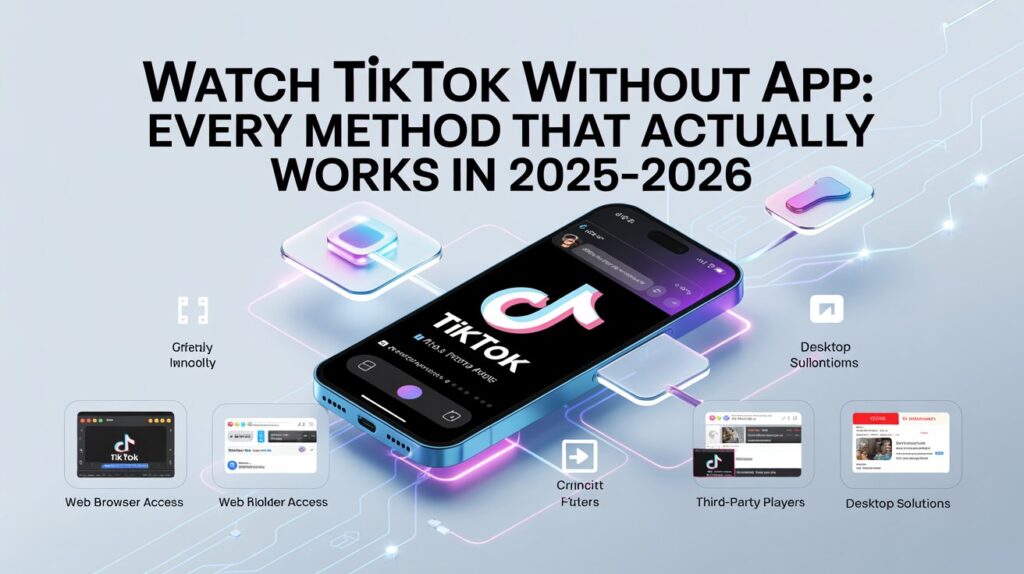
Method Three: Third-Party TikTok Viewers
A few web-based tools exist specifically to let you watch TikTok videos without any redirects or login prompts.
Sites like AllTikk work by letting you paste a TikTok video URL directly into their interface. The video loads cleanly inside their website. No redirects. No pop-ups pushing the app. No login required.
The process is simple. Find any TikTok video you want to watch. Copy its URL from wherever you saw it — a text message, a tweet, an email. Open the viewer website. Paste the URL. Watch.
Some of these tools also let you view public profiles by entering a creator’s username. You can browse their full content without visiting TikTok directly at all.
A word of honest caution here. Not every third-party TikTok viewer is trustworthy. The safest ones only need a public video link. They don’t ask for your email, your TikTok login, or any personal details. If any tool asks for personal information to watch a video — leave immediately.
You’ll be alright if you stick to tools that have been thoroughly reviewed.
Method Four: Find TikTok Videos Through Google
This method surprises a lot of people. It works better than most expect.
Open Google. Type whatever you’re looking for — a topic, a creator’s name, a hashtag, or just something like “funny TikTok cooking videos.” Hit search.
Google indexes TikTok’s public videos. They appear immediately in search results.. Click any TikTok result and you land on TikTok’s website — but because you arrived from a search engine rather than directly from a link, the app-redirect behavior is sometimes less aggressive.
You can also try this trick. If someone sends you a TikTok link and it’s not opening properly, copy the video link and paste it into Google as a search. Sometimes Google will surface the same video in an indexable format that opens without the app-push.
This isn’t a perfect method. It depends on how TikTok has indexed the specific video you’re looking for. But for finding content by topic or creator name, it’s genuinely useful.
Method Five: Watch TikTok Content on Other Platforms
This one requires no TikTok involvement at all. And honestly, for staying up with viral trends, it works remarkably well.
The majority of popular TikTok creators post their videos across multiple platforms. The same content they put on TikTok gets uploaded to YouTube Shorts, Instagram Reels, Facebook, and sometimes Twitter or X.
If you follow your favorite creators on any of those platforms, you see their content without ever touching TikTok. The timeline might be slightly delayed — sometimes a creator posts on TikTok first and the same video appears on YouTube Shorts a few hours later. But for casual watching, that delay rarely matters.
YouTube Shorts is particularly well-stocked with cross-posted TikTok content. The format is identical. The algorithm pushes short vertical videos aggressively. If you spend ten minutes on YouTube Shorts, you’ll see plenty of creators who are also active on TikTok.
Method Six: TikTok Videos Embedded in Articles and News Sites
Ever read an article about a viral trend and noticed a video playing right inside the page?
That’s embedded TikTok content. News websites, entertainment blogs, cooking sites, sports coverage — all kinds of publishers embed TikTok videos directly into their articles.
You don’t go to TikTok. You don’t open the app. The video plays right there, inside the article you’re already reading. It works automatically on both desktop and mobile browsers.
This is honestly one of the most effortless ways to watch TikTok content. You encounter it naturally while reading things you’re already interested in. The video loads. You watch. Done.
Some embedded videos even let you browse more content from the same creator directly within the embed. You can click the creator’s name and visit their TikTok profile in a new browser tab — which then lets you watch more of their videos through the website.
The URL Tracking Parameter Trick
Here’s a detail that very few guides mention. It solves a specific problem that drives people crazy.
When someone shares a TikTok link, it often looks something like this:
tiktok.com/@username/video/123456789?_t=8jKSomething&_r=1
See those characters after the question mark? Those are tracking parameters. TikTok reads them and uses them to decide whether to push you toward the app. Those specific codes tell TikTok’s system “this user came from a share — redirect them to the app store.”
The fix is simple. Delete everything in the URL from the question mark onward. Leave only the clean base URL:
tiktok.com/@username/video/123456789
Paste that into your browser. The video loads directly on the website without the aggressive app-push redirect. This small edit makes a noticeable difference, especially when browsing on mobile.
Can You Watch TikTok Live Streams Without the App?
Yes, actually. This surprises people.
TikTok’s live streams are accessible through the website. Open tiktok.com in your browser and look for the LIVE section in the navigation. You can watch livestreams as a guest without logging in.
The experience isn’t quite as smooth as the app. The chat moves fast and viewing it clearly takes some scrolling. But the actual live video plays through the browser without any issues.
You can’t send gifts to creators, join the stream as a participant, or comment unless you have an account and are logged in. But for simply watching a live stream that’s currently happening? The browser handles it.
Downloading TikTok Videos to Watch Offline
Sometimes you don’t want to depend on an internet connection or keep fighting browser redirects. You just want the video on your device, ready to watch whenever.
Third-party download tools like SnapTik, SSSTik, and similar sites let you download TikTok videos by pasting the video URL. The tool fetches the video file and gives you a download link. The file saves to your device as an MP4. You can watch it offline from there using any video player.
Most of these tools download videos without the TikTok watermark that normally appears in the corner of shared videos.
One important honesty note: downloaded TikTok videos should be for personal viewing only. Re-uploading someone’s video without their credit or permission isn’t cool — and in many cases it violates copyright. Watch it yourself, share the original link if you want someone else to see it.
What You Can and Can’t Do Without the App
Being honest about the limitations helps manage expectations.
What you can do:
- Watch all public videos, unlimited scrolling
- Search for creators by name or hashtag
- Visit any public profile and browse their content
- Watch live streams in progress
- See comments and like counts on any video
- Watch embedded TikTok videos in articles and websites
- Download videos for offline personal viewing
What you cannot do without logging in:
- Like or comment on any video
- Follow creators
- Save videos inside TikTok
- Get a personalized For You feed based on your viewing history
- Post content
- Join live streams as an active participant
- Receive direct messages
For pure watching? The list of what you can do is genuinely substantial. Most people who want to watch without the app just want to watch. Everything required for that is available.
Privacy — What You Should Know
Here’s the honest part that most guides skip over.
Watching TikTok on the website as a guest doesn’t make you invisible. TikTok’s servers can still see your IP address and general location. They track which videos you watched and for how long, even without an account. Your internet service provider can also see that you visited tiktok.com.
If you’re watching on a shared work or school network, assume that the network administrator can see traffic going to tiktok.com.
If privacy truly matters for your situation — whether you’re a journalist, a researcher, or simply someone who wants to browse anonymously — pairing your browser use with a reputable VPN adds a meaningful layer of protection. A VPN hides your IP address from TikTok’s servers and encrypts traffic on your network.
For most casual viewers just trying to watch funny videos or keep up with trends, this level of precaution isn’t necessary. But it’s worth knowing the situation clearly.
Final Words
You don’t need the TikTok app. You never did.
TikTok makes it feel mandatory. Those login walls, those app download prompts, those aggressive redirects when you click a link on your phone — all of it is designed to push you toward installing something. Not because you need the app to watch videos. Because TikTok needs you in the app to serve you ads, collect your data, and count you toward their user numbers.
The official TikTok website gives you everything a casual viewer needs. Unlimited scrolling, search, profiles, live streams — all available through a browser with no account required. The desktop site trick solves the mobile redirect problem. Third-party viewers handle individual links cleanly. And cross-posted content on YouTube Shorts and Instagram means you might not need to visit TikTok at all for your favorite creators.
Pick the method that fits your situation. Start with tiktok.com in a browser — it works about 90% of the time. Add the URL cleaning trick and the desktop site toggle when needed. And enjoy your friend’s viral parrot video in peace.
FAQs
1. Can I really watch TikTok without downloading the app?
Yes. Open tiktok.com in any browser on any device. When prompted to log in, look for “Continue as guest” or “Not now” and select that. You can watch unlimited public content without installing anything.
2. Does watching TikTok in a browser work on an iPhone?
Yes. Open tiktok.com in Safari or Chrome. Dismiss any login prompt by tapping “Browse as guest.” If you’re getting redirected aggressively, try tapping the “aA” button in Safari’s address bar and selecting “Request Desktop Website.”
3. Does it work on Android phones too?
Yes. Open tiktok.com in Chrome or any Android browser. If redirects are a problem, tap the three dots in Chrome and check “Desktop site” to load the full desktop version instead.
4. Why does TikTok keep asking me to download the app?
This is intentional. TikTok benefits from having you in the app rather than the browser — more data collection, better ad targeting, higher app install numbers. It’s a business strategy. Clicking “Not now” or “Continue as guest” bypasses it completely.
5. Can I watch TikTok without creating an account?
Yes. Guest browsing on tiktok.com lets you watch all public content without signing up for anything. You lose the ability to like, comment, follow, or get a personalized feed, but watching is fully available.
6. How do I clean a TikTok URL to avoid the app redirect?
Find the question mark in the URL and delete everything from that point to the end. The tracking parameters after the “?” are what trigger aggressive redirects. The clean URL without those parameters opens the video directly on the website.
7. Are third-party TikTok viewer websites safe?
Reputable ones are safe for watching. The key indicator: they should only need a public video link to work. If any tool asks for your email, TikTok login, or personal details just to play a video, don’t use it.
8. Can I view live streaming on TikTok without the app?
Yes. TikTok’s live streams are viewable through the browser at tiktok.com without logging in. You can’t send gifts or comment as a guest, but the live video itself plays freely.
9. Will the creator know I watched their video without the app?
No. Anonymous guest viewing does not send notifications to creators. They cannot see who viewed their videos even when you are logged in — only that a view occurred.
10. Can I watch TikTok at work or school without the app?
This depends on your network’s content filtering. If tiktok.com is blocked on the network, browser viewing won’t work either. If TikTok’s website is accessible on your network, you can watch it in a browser just like any other site.
11. Is there a way to watch TikTok completely without visiting tiktok.com?
Sure. Follow your favorite producers on Facebook, Instagram Reels, and YouTube Shorts. The same videos are shared by numerous producers. You can see the content without any interaction from TikTok.
12. Can I download a TikTok video to watch offline?
Yes. Copy the video URL, paste it into a tool like SnapTik or SSSTik, and download the MP4 file. Watch it anytime without internet or app. Keep downloads for personal use only.
13. Does incognito mode help bypass TikTok’s login prompts?
No. Incognito mode hides your browsing from your local device but doesn’t change how TikTok’s website treats your browser session. You’ll still see the same login prompts. The “Continue as guest” approach still applies.
14. Can I watch TikTok without the app on a smart TV or gaming console?
Yes, if your TV or console has a built-in browser. Open the browser, go to tiktok.com, and follow the same guest browsing steps. The experience is less optimized than a computer screen, but the content is accessible.
15. What’s the single fastest method to watch one specific TikTok video someone sent me?
Copy the link. Remove everything from the “?” onward. Paste the clean URL into a desktop browser. Click “Continue as guest” if prompted. This takes about 15 seconds and works reliably without any tools or workarounds.
Keep creating, innovating, and inspiring with Content Ideators every day.
